Search supported menus
Find available restaurant and delivery dishes directly in Trayly when the menu is already covered.
Scan before you order
Take a photo of a printed menu and let Trayly turn the visible dishes into reviewable calorie and macro estimates. Compare the options against your goals, choose your meal, and add it to your day.
Free download · Menu scanning requires Trayly Pro
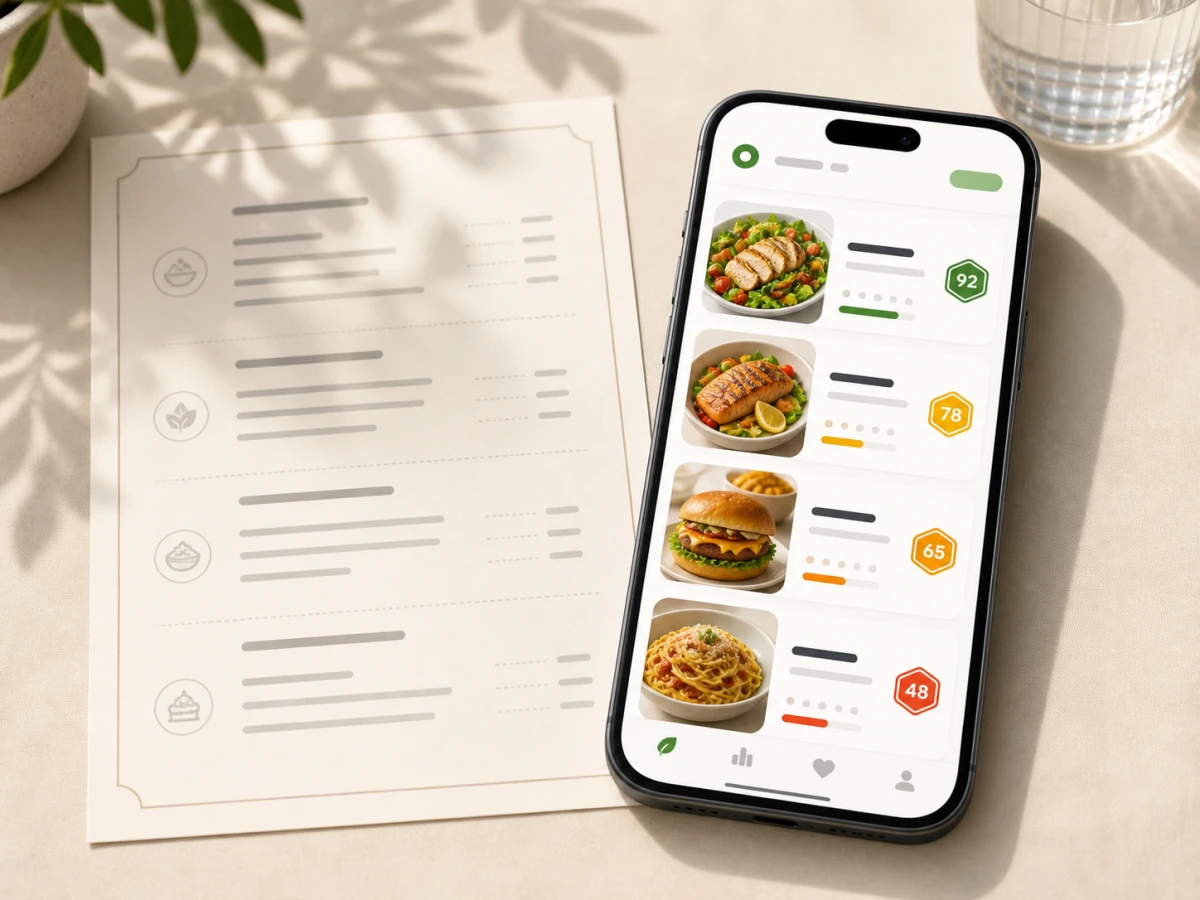
From menu to food log
01 · Capture
Keep the menu flat, well lit, and close enough for dish names and descriptions to be readable. Scan another section if the menu spans multiple pages.
02 · Estimate
Trayly uses the available menu text to estimate calories, protein, carbohydrates, fat, and ingredients for the dishes it can read.
03 · Compare
Compare options side by side instead of judging a dish by its name alone. Your daily calorie and macro targets provide context for the choice.
04 · Track
Check the estimate, adjust anything you know is different, and add the selected dish to your day without rebuilding it ingredient by ingredient.
More than a menu scan
Menu scanning is one way into the same food log. Use the input that matches the meal and keep all of your nutrition progress together.
Find available restaurant and delivery dishes directly in Trayly when the menu is already covered.
Photograph the served plate or describe a customized dish when the printed menu does not tell the whole story.
Use calories, macros, a clear health score, and your personal targets to compare options before ordering.
Keep restaurant meals, everyday food, weight, and optional Apple Health data connected to the same goals.
What the estimate means
Dish names and descriptions rarely reveal exact portions, cooking fats, sauces, or recipe changes. Trayly estimates nutrition from the information it can read and lets you review the result before saving. For allergies, medical conditions, or dietary decisions, rely on official restaurant information and professional advice rather than an AI estimate alone.
Learn how to review AI calorie estimates →